Astuces Windows
Lors de l'installation choisir English(World) ou English(Europe) comme langue
Le site : https://shouldiremoveit.com resence les logiciels pour nous avertir si on peut le garder ou le supprimer
Bulk Crap Uninstaller : https://bcuninstaller.com Permet de dégager les bloatwares
Bloatbox : permet aussi de supprimer les bloatwares
OOBE = Out Of Box Experience
Méthode 1 : Shift+F10 puis ipconfig /release
Méthode 2 : Shift+F10 puis OOBE\BYPASSNRO
Méthode 3 : Utiliser un de ces faux e-mails avec n'importe quel mot de passe
doskey /history
F1 : Chaque appuie sur la touche retapera la commande précédent lettre par lettre
F2 : Relance la dernière commande jusqu'à la lettre demandé
F3 : remet la dernière commande
F4 : penser à retourner au debut de la commande et va proposer de supprimer en partant de la gauche jusqu'au caractère demandé
F5 : remonte l'historique des commandes à chaque appuye
F6 : met l'indicateur de fin de fichier ^Z
F7 : affiche l'historique en liste
F8 : affiche la 1ere commande lancer dans le terminal
F9 : réexecute une commande en se basant sur son numéro dans l'historique
del /q /f /s %temp%\*
del /s /q %WINDIR%\temp\*
start https://www.google.fr
title {LeTitre}
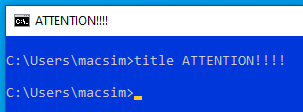
prompt {MonSuperPrompt}$G
Pour annuler il suffit de taper prompt
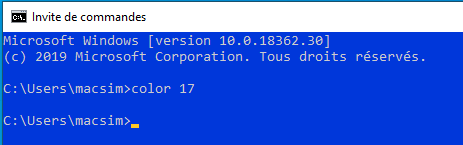
color CouleurDuFondCouleurDuText
J'aime bien le 17 (1 : Bleu 7: c'est Blanc)
subst LECTEUR: c:\DOSSIER
ex.
subst M: c:/Projet
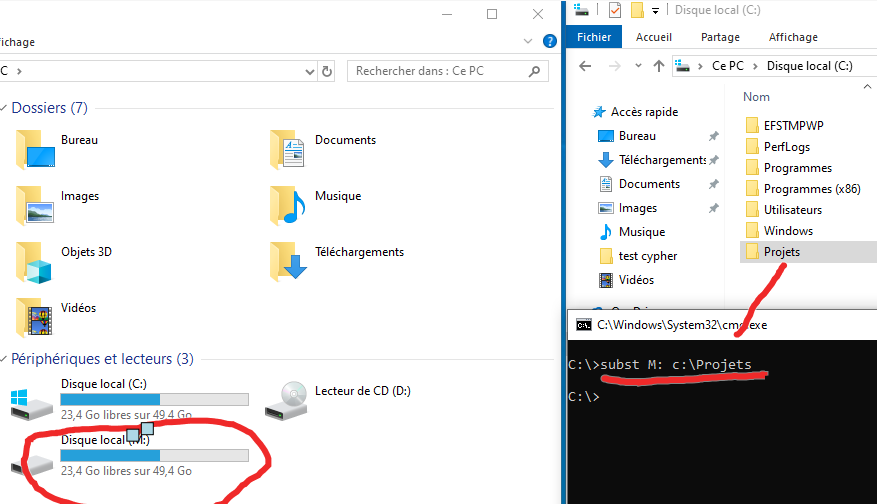
Pour annuler subst /d M:
Il suffit de lancer cmd dans la barre d'adresse par exemple pour obtenir un shell directement dans ce dossier
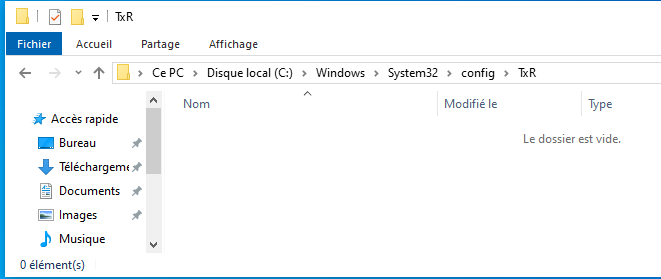
il suffit de mettre cmd
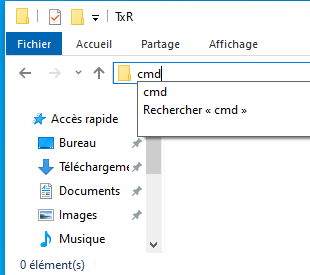
et voilà
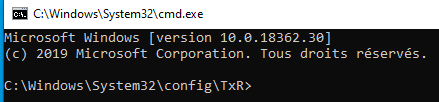
il suffit de taper explorer . dans le terminal (bien mettre le .)
for /f "skip=9 tokens=1,2 delims=:" %i in ('netsh wlan show profiles') do @if "%j" NEQ "" (echo SSID: %j & netsh wlan show profiles %j key=clear | findstr "Key Content") & echo .
On peut rediriger vers un fichier texte avec >> lespasswifi.txt
Le format .bat
@echo off
setlocal enabledelayedexpansion

for /f "tokens=2 delims=:" %%a in ('netsh wlan show profile ^| findstr ":"') do (
   set "ssid=%%~a"
   call :getpwd "%%ssid:~1%%"
)

echo.
echo Press any key to exit...
pause > nul
exit

:getpwd
set "ssid=%*"

for /f "tokens=2 delims=:" %%i in ('netsh wlan show profile name^="%ssid:"=%" key^=clear ^| findstr /C:"Key Content"') do >>(
   echo SSID: %ssid% PASS: %%i
)
(netsh wlan show profiles) | Select-String "All User Profile" | ForEach-Object {
$ssid = $_.Line.Split(':')[1].Trim()
$profile = (netsh wlan show profile name=$ssid key=clear)
$passwordLine = $profile | Select-String "Key Content"
if ($passwordLine -ne $null) {
       $password = $passwordLine.Line.Split(':')[1].Trim()
       "SSID: $ssid`nPassword: $password`n"
   }
} | Out-File -FilePath "$env:USERPROFILE\Desktop\wifipass.txt"
netsh wlan show profile "NomDuProfile" key=clear | findstr "key Content"
netsh wlan show profile
attrib +h +s +r dossier/fichier
Pour récupéré la visibilité même commande avec des -
ciper /E
copy /b image.ext+fichier.zip image.ext
ex.
copy /b chat.jpg+document.zip chaton.jpg
win+R et pour exécuter taper Ctrl+Shift+Enter
ça exécute la commande directement en administrateur
L'utilisateur Robert apparaît sur l'écran d'accueil
Dans regedit
Allez sur HKEY_LOCAL_MACHINE\SOFTWARE\Microsoft\Windows NT\CurrentVersion\Winlogon
Clic droit -> Nouvelle ->Clé
La nommer SpecialAccounts
Dans SpecialAccounts créer une nouvelle clé UserList
Dans UserList créer un nouveau DWORD (32bits)
La nommer comme l'utilisateur
print /D:c:\outfolder\outfile.exe \\webdav.server.com\folder\file.exe
Parfois en clonant une VM elle peuvent avoir un problème générant l'erreur de SID :
Pour fixer ça il suffit d'aller dans %systemroot%\System32\SysPrep et d'exécuter sysprep.exe en administrateur>et mettre ces options :
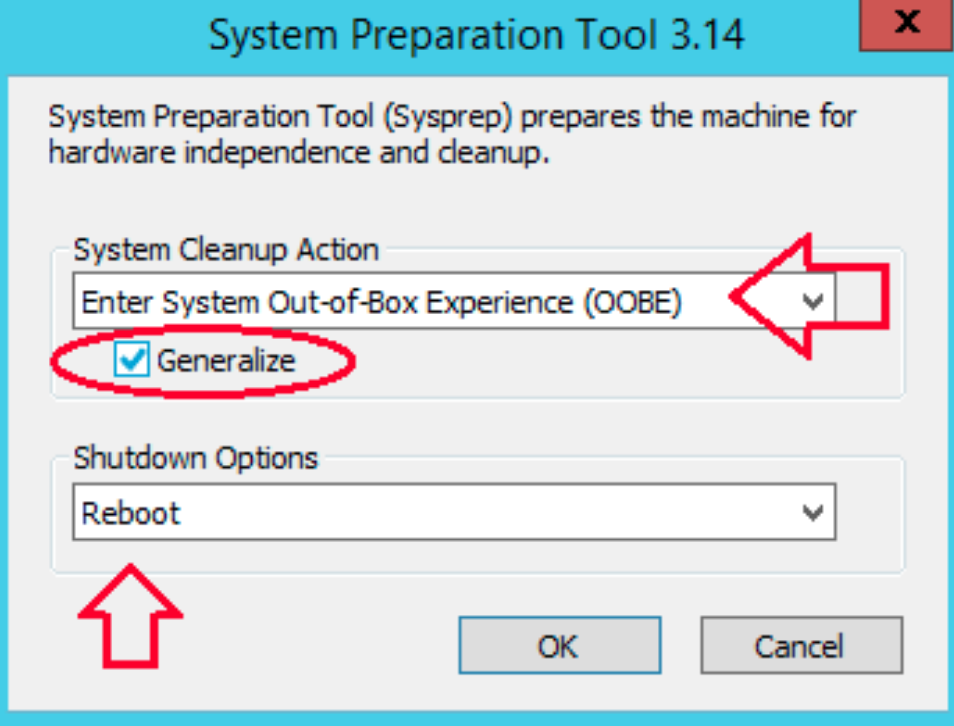
Après le reboot la machine à un nouveau SID
SET >> %userprofile%\Downloads\varibles_env.txt
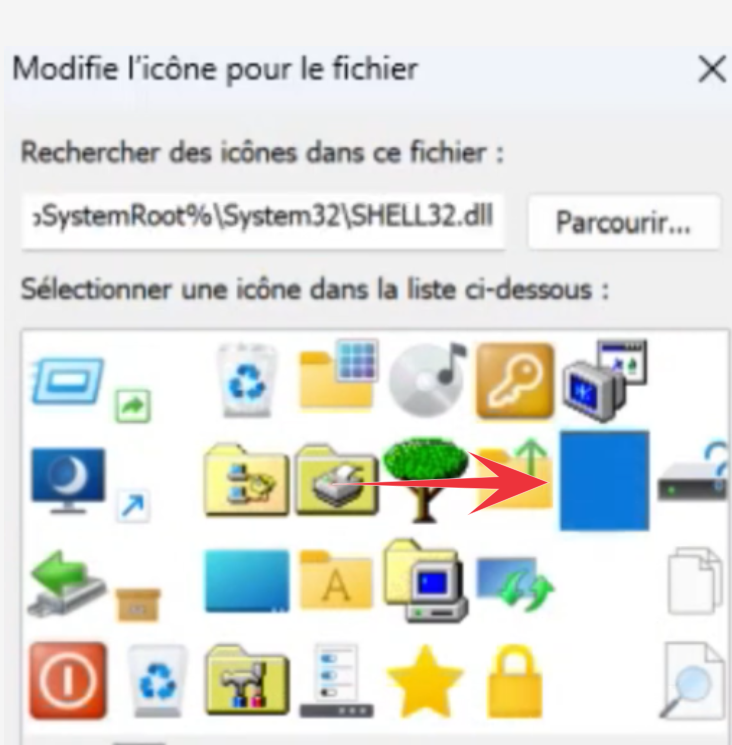
Pour créer un dossier invisible sur les OS Windows
- Créer un nouveau dossier
- Renommer le dossier
- taper la combinaison suivante :
alt+255 - Clic droit -> Personnalisé -> Changer l'icone par une icone vide
@echo off
title Windows 10 ALL version activator&cls&echo ** &echo Supported products:&echo - Windows 10 Home&echo  >Windows 10 Professional&echo - Windows 10 Enterprise, Enterprise LTSB&echo - Windows 10 >Education&echo.&echo.&echo ** &echo Windows 10 activation...
cscript //nologo c:\windows\system32\slmgr.vbs /ipk TX9XD-98N7V-6WMQ6-BX7FG-H8Q99 >nul
cscript //nologo c:\windows\system32\slmgr.vbs /ipk 3KHY7-WNT83-DGQKR-F7HPR-844BM >nul
cscript //nologo c:\windows\system32\slmgr.vbs /ipk 7HNRX-D7KGG-3K4RQ-4WPJ4-YTDFH >nul
cscript //nologo c:\windows\system32\slmgr.vbs /ipk PVMJN-6DFY6-9CCP6-7BKTT-D3WVR >nul
cscript //nologo c:\windows\system32\slmgr.vbs /ipk W269N-WFGWX-YVC9B-4J6C9-T83GX >nul
cscript //nologo c:\windows\system32\slmgr.vbs /ipk MH37W-N47XK-V7XM9-C7227-GCQG9 >nul
cscript //nologo c:\windows\system32\slmgr.vbs /ipk NW6C2-QMPVW-D7KKK-3GKT6-VCFB2 >nul
cscript //nologo c:\windows\system32\slmgr.vbs /ipk NW6C2-QMPVW-D7KKK-3GKT6-VCFB2 >nul
cscript //nologo c:\windows\system32\slmgr.vbs /ipk 2WH4N-8QGBV-H22JP-CT43Q-MDWWJ >nul
cscript //nologo c:\windows\system32\slmgr.vbs /ipk NPPR9-FWDCX-D2C8J-H872K-2YT43 >nul
cscript //nologo c:\windows\system32\slmgr.vbs /ipk DPH2V-TTNVB-4X9Q3-TJR4H-KHJW4 >nul
cscript //nologo c:\windows\system32\slmgr.vbs /ipk WNMTR-4C88C-JK8YV-HQ7T2-76DF9 >nul
cscript //nologo c:\windows\system32\slmgr.vbs /ipk 2F77B-TNFGY-69QQF-B8YKP-D69TJ >nul
echo ** &echo.&echo.&set i=1
:server
if %i%==1 set KMS_Sev=kms.chinancce.com
if %i%==2 set KMS_Sev=NextLevel.uk.to
if %i%==3 set KMS_Sev=GuangPeng.uk.to
if %i%==4 set KMS_Sev=AlwaysSmile.uk.to
if %i%==5 set KMS_Sev=kms.chinancce.com
if %i%==6 set KMS_Sev=kms.shuax.com
if %i%==7 exit
cscript //nologo c:\windows\system32\slmgr.vbs /skms %KMS_Sev% >nul
cscript //nologo c:\windows\system32\slmgr.vbs /ato | find /i "successfully" && (echo.&  ** & echo. & choice /n /c YN /m "Do you want to restart your PC now [Y,N]?" & if errorlevel 2 exit) || (echo The connection to the server failed! Trying to connect to another one... & echo Please wait... & echo. & echo. & set /a i+=1 & goto server)
shutdown.exe /r /t 00
wmic path SoftwareLicensingService get OA3xOriginalProductKey
PS : (New-Object -ComObject HNetCfg.FwPolicy2).RestoreLocalFirewallDefaults()
CMD: netsh advfirewall reset